Best AI note takers for students in 2026: CraftNote leads for lecture recording with offline support and speaker identification. Otter works best for real-time collaboration and Notion AI for organizing study materials, while free options like Google NotebookLM turn your own sources into study guides. This guide profiles 10 tools, with student pricing and use cases, including several genuinely free options.
← Back to Blog
10 Best AI Note Takers for Students in 2026 (Free Options Included)
Quick Summary Table
| Tool | Best For | Offline | Student Price |
|---|---|---|---|
| CraftNote | Lecture recording | Yes | Free; $9.99/mo Individual |
| Otter.ai | Real-time collaboration | No | Free tier available |
| Notion AI | Study organization | No | Free for students |
| Google NotebookLM | Study guides from your sources | No | Free |
| Turbolearn AI | Lecture-to-flashcards | No | Free tier; paid ~$10-13/mo |
| Speechify | Learning by listening | No | Free; $29/mo Premium |
| Microsoft OneNote (Copilot) | Microsoft ecosystem | Yes | Free app; Copilot via M365 from $9.99/mo |
| GoodNotes 6 | Handwritten notes on iPad | Yes | Free; $11.99/yr Essential |
| Notability | Audio-synced handwriting | Yes | Free; $15.99/yr Plus |
| Fireflies.ai | Online/recorded lectures | No | Free; $10/seat/mo Pro |
What Students Need in an AI Note Taker
Students have unique requirements: offline recording for lecture halls without WiFi, speaker identification for classes with multiple professors, and affordable pricing. Tested by the CraftNote editorial team over the Fall 2025 semester; last updated August 2026, this guide scores each tool against those criteria.
Key Finding: Across the note takers in this guide, CraftNote is the one built to record lectures fully offline and transcribe them with persistent speaker memory that recognizes the same professor across different classes without re-labeling. Evidence from our Fall 2025 testing: CraftNote captured full lectures in halls with no WiFi and, unlike Otter.ai and Notion AI, retained speaker identities across separate recordings, making it ideal for students attending multiple lectures daily.
Try CraftNote Free
Record lectures offline, identify professors automatically, search all your notes.
1. CraftNote - Best for Lecture Recording

CraftNote is an AI note-taking app that records lectures in 100+ languages, identifies speakers automatically with persistent memory, and works completely offline. Perfect for lecture halls with poor WiFi coverage.
Key Features for Students
- Offline Recording: Works without WiFi in any lecture hall
- Speaker Memory: Recognizes professors across all classes
- 100+ Languages: Great for international students
- Search Across Notes: Find anything from any lecture
- AI Summaries: Get key points and action items
Pricing for Students
- Free: $0 - 10 uploads/imports per week, 2 hours of recording per week, 100+ languages
- Individual: $9.99/month ($8.33/month billed annually, $99.99/year) - unlimited notes and recordings up to 4 hours
- Teams: $12/user/month
CraftNote Pros and Cons
Pros
- CraftNote works offline in lecture halls
- CraftNote remembers professors automatically across classes
- CraftNote offers 100+ language support
- CraftNote needs no bot or plugins
- CraftNote works on Mac, Windows, iOS
Cons
- No flashcard generation
- Free plan capped at 2 hours of recording per week
- No video recording
Best For
- Students who use CraftNote for in-person lectures
- CraftNote in multi-lingual study environments
- Recording office hours and study groups with CraftNote
2. Otter.ai - Best for Real-Time Collaboration
Otter.ai provides live transcription with real-time editing capabilities. Students can collaborate on lecture notes simultaneously, highlight key points, and add comments. Works best for online classes.
Key Features for Students
- Real-time collaborative editing
- Live transcript during lectures
- Highlighting and commenting
- Zoom integration
- 300 minutes free per month
Pricing for Students
- Free: 300 minutes/month
- Pro: $8.33/month (annual billing)
Otter.ai Pros and Cons
Pros
- Great collaborative features
- Generous free tier
- Real-time transcription
- Good for study groups
Cons
- No offline support
- No speaker memory
- Limited language support
The comparison tables below break down offline recording, speaker memory, and language support across all ten tools so you can match a tool to how you study.
3. Notion AI - Best for Study Organization
Notion AI combines powerful note organization with AI summarization and writing assistance. Best for students who want an all-in-one workspace for notes, assignments, and projects.
Key Features for Students
- AI-powered summarization
- Database organization for courses
- Assignment tracking
- Team collaboration
- Free for students with .edu email
Pricing for Students
- Free for education accounts
- AI add-on: $10/month
4. Google NotebookLM - Best for Study Guides From Your Own Sources
Google NotebookLM is a free AI research and study assistant that grounds every answer in the sources you upload, PDFs, Google Docs, lecture slides, web pages, and YouTube videos, with inline citations. Instead of recording live lectures, it turns your existing course material into study guides, briefing docs, and podcast-style audio overviews.
Key Features for Students
- Source-grounded answers: Every response cites your own uploaded material, reducing hallucinations
- Audio Overview: Turns your readings into a podcast-style discussion you can listen to on the go
- Study guides & FAQs: Auto-generates study guides, briefing docs, and timelines from your notes
- Multiple sources in one place: Combine many readings into a single queryable notebook
- Mind-map and video overviews: Visual summaries for quick review
Pricing for Students
- Free: $0 - generous limits (roughly 100 notebooks, ~50 sources each, no credit card)
- Optional upgrade via Google AI Plus: $4.99/month (or $49.99/year) for higher limits
- Higher tiers via Google AI Pro ($19.99/month) and Ultra ($99.99/month)
- NotebookLM Plus is included free for many students on qualifying Google Workspace for Education plans
Google NotebookLM Pros and Cons
Pros
- Genuinely free with an unusually generous tier
- Answers cite your exact sources, ideal for exam prep
- Standout Audio Overview for passive, on-the-go studying
- Backed by Google and Gemini model quality
Cons
- Not a live lecture recorder, you feed it existing files and links
- Cannot buy an upgrade on its own, it is bundled into a broader Google AI plan
- No built-in spaced-repetition flashcard system like dedicated study apps
Best For
- Students who want a free, citation-backed study companion
- Turning dense readings and PDFs into study guides and audio
- Exam revision grounded in your own course material
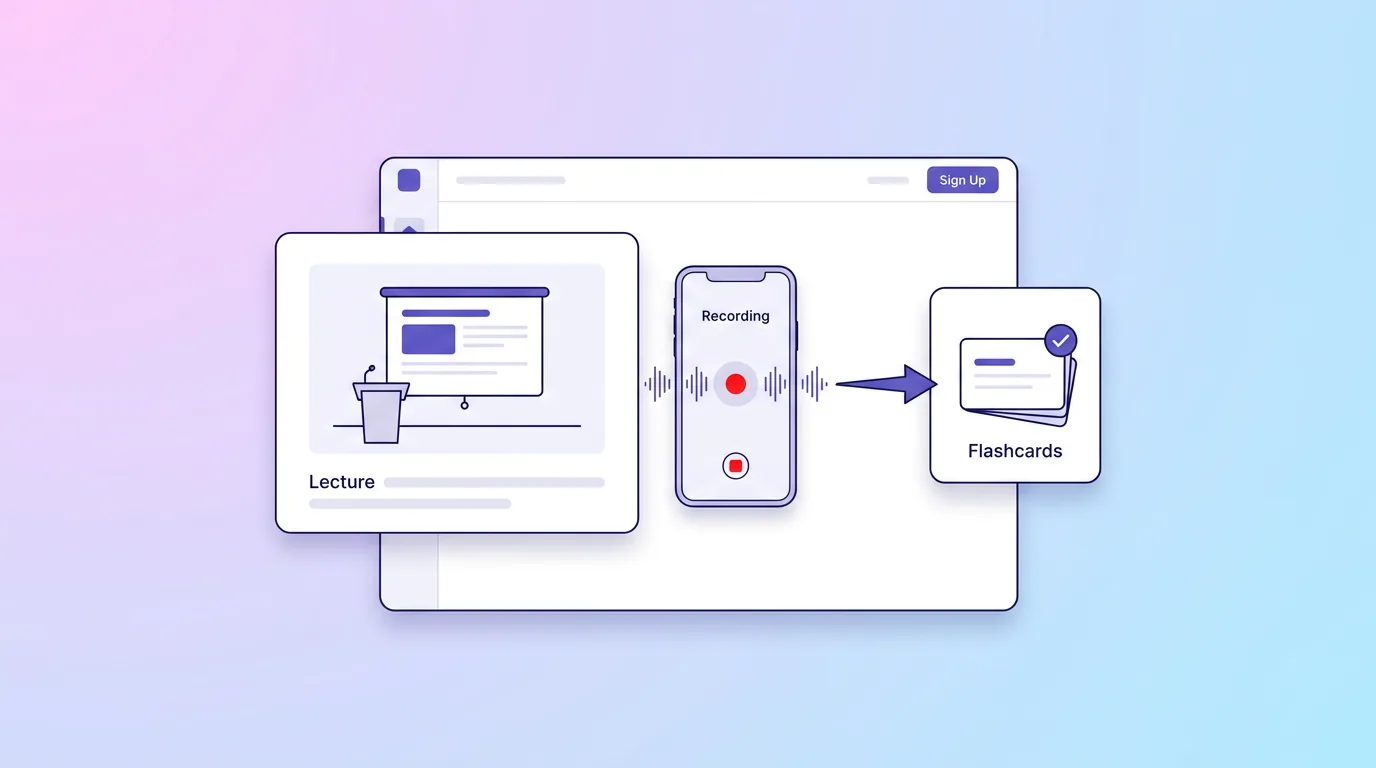
5. Turbolearn AI - Best for Turning Lectures Into Flashcards
Turbolearn AI (now also branded Turbo AI) is a student-focused note taker that records or ingests lectures, PDFs, and slides and instantly converts them into structured notes, flashcards, and quizzes for active recall. It is purpose-built for exam prep rather than general note-taking.
Key Features for Students
- Live lecture capture: Records or uploads lectures and auto-generates formatted notes in real time
- PDF and slide import: Turns readings, slides, and videos into notes in one place
- Auto flashcards: Generates flashcards from your material for active recall
- Quizzes: Creates self-test quizzes to check understanding
- AI chat: Ask questions about your notes and lecture transcripts
Pricing for Students
- Free: a limited tier (reported around 2 hours of lecture and a handful of quizzes/uploads per month)
- Paid "Unlimited" plan: roughly $10-13/month, cheaper billed annually (approximately $8-10/month)
- Note: the official pricing page is behind signup and third-party figures vary, so confirm the exact price at checkout
Turbolearn AI Pros and Cons
Pros
- Purpose-built for live lecture capture
- One-click notes to flashcards to quizzes pipeline
- Affordable relative to typical AI tools
- Strong active-recall study outputs
Cons
- Free tier is very restrictive for a full course load
- Official pricing is opaque and behind signup
- Recent rebrand and shifting prices create renewal uncertainty
Best For
- Students who want lectures turned into flashcards and quizzes
- Consolidating lectures, PDFs, and slides for exam prep
- Active-recall study workflows
6. Speechify - Best for Learning by Listening
Speechify is an AI text-to-speech reader that turns textbooks, PDFs, lecture notes, and web pages into natural-sounding audio. It is a favorite for students who retain more by listening, or who manage dyslexia, ADHD, or reading fatigue, and it can even read printed pages photographed with your phone.
Key Features for Students
- Natural AI voices: 1,000+ voices across 60+ languages
- Fast listening: Up to 5x listening speed on Premium
- Scan & Listen: Photograph a printed textbook page and have it read aloud via OCR
- AI summaries & chat: Summarize documents and ask questions about them
- Cross-platform: Browser extension plus iOS and Android apps read PDFs, docs, and emails
Pricing for Students
- Free: $0 - basic voices and listening speed up to 1.5x
- Premium: $29/month, or roughly $139/year on the annual plan (about $11.58/month)
Speechify Pros and Cons
Pros
- Very natural voices and fast (5x) listening
- Scan & Listen handles physical textbooks
- Multi-platform so you can listen anywhere
- AI summaries speed up heavy reading loads
Cons
- Useful features are locked behind Premium
- Pricing is steep for a student ($29/month, ~$139/year upfront)
- Note-taking and transcription are secondary to the core reader
Best For
- Students who learn better by listening than reading
- Turning textbooks and PDFs into audio for commutes
- Managing dyslexia, ADHD, or reading fatigue
7. Microsoft OneNote (with Copilot) - Best for the Microsoft Ecosystem
Microsoft OneNote is a free, powerful notebook app with free-form sections, ink-to-text handwriting, audio recording, and cross-device sync. Add Microsoft 365 Copilot and it gains AI summarization, note drafting, and Copilot Notebooks that ground answers in your own notes, ideal for students already living in Word, PowerPoint, and Outlook.
Key Features for Students
- Free-form notebooks: Organize by notebook, section, and page with ink and typing
- Copilot summaries: Summarize long notes and draft or rewrite study material
- Copilot Notebooks: AI answers grounded in your own notes and sources
- Study outputs: Generate study plans, quizzes, and flashcards from your notes
- Deep Office integration: Works across Word, Excel, PowerPoint, and Outlook
Pricing for Students
- OneNote app: Free (standalone; also included with Microsoft 365)
- Microsoft Copilot chat: Free tier available with usage limits
- Microsoft 365 Personal (includes Copilot): $9.99/month or $99.99/year
- Microsoft 365 Family: $12.99/month or $129.99/year (Copilot for the subscription owner only)
- Microsoft 365 Premium: $19.99/month or $199.99/year for advanced Copilot; standalone Copilot Pro add-on is $20/user/month
- Students: OneNote is free, and verified students can often get 12 free months of Microsoft 365 plus free Copilot Chat with a school account
Microsoft OneNote Pros and Cons
Pros
- OneNote is genuinely free and powerful on its own
- Students can often get 12 free months of Microsoft 365 with Copilot
- Copilot Chat is free with a qualifying school account
- Deep integration across the whole Office suite
Cons
- Full in-app Copilot requires a paid Microsoft 365 plan or the $20/month add-on
- Family plan Copilot is limited to the subscription owner
- Confusing tiers (Personal vs Premium vs standalone Pro) and school admin gating
Best For
- Students already in the Microsoft and Windows ecosystem
- Weaving AI directly into existing OneNote notebooks
- Anyone who wants a capable free notebook first, AI later
8. GoodNotes 6 - Best for Handwritten Notes on iPad
GoodNotes 6 is a polished digital handwriting app, best known on iPad, that combines natural inking with AI features like handwriting spellcheck, Math Assist for solving handwritten equations, and audio recording with transcription. It is the go-to for students who take notes by hand on a tablet.
Key Features for Students
- Handwriting recognition & search: Search across your handwritten notes
- Math AI: Solves and assists with handwritten equations
- AI spellcheck: Checks spelling in your handwriting
- Audio recording & transcription: Record lectures and transcribe them (paid tiers)
- PDF markup: Annotate readings and unlimited notebooks on paid tiers
Pricing for Students
- Free: $0 - up to 3 notebooks, 100MB storage, 20 minutes of audio, limited AI
- Essential: $11.99/year - unlimited notebooks, 5GB storage, unlimited audio, transcription, Math AI
- Pro: $35.99/year - adds real-time collaboration, cross-platform sync, and the full AI suite
- Special Edition: a one-time purchase (Apple platforms only, reportedly around $30; exact price not shown on the live pricing page, so verify at checkout)
- Optional AI Pass add-on: +$9.99/month for extra AI credits
GoodNotes 6 Pros and Cons
Pros
- Cheapest paid entry point ($11.99/year Essential)
- Rare one-time purchase option for Apple users
- Strong handwriting recognition and Math AI
- Free tier is genuinely usable for light note-takers
Cons
- Free tier's 3-notebook cap is restrictive for a full course load
- Best AI features are gated behind Pro or the paid AI Pass
- One-time Special Edition is Apple-only and excludes cloud sync
Best For
- Students who take handwritten notes on an iPad
- Math and STEM courses that benefit from Math AI
- Anyone wanting the most polished inking experience
9. Notability - Best for Audio-Synced Handwritten Notes
Notability is a note-taking app for iPad, Mac, and now Android whose signature feature is audio recording synced to your handwriting, tap any word and it replays exactly what was said as you wrote it. It layers on AI study tools like transcription, quizzes, and flashcards, making it a strong pick for lecture-heavy courses.
Key Features for Students
- Audio synced to notes: Replay lecture audio tied to what you wrote
- Handwriting search: Find anything across your handwritten notes
- AI quizzes & flashcards: Generate study material from your notes
- YouTube to notes: Convert lecture videos into notes with transcript and summary
- Chat with your notes: Ask questions about your material (Pro)
Pricing for Students
- Starter (Free): $0 - up to 5 notes, all editing tools, PDFs and templates
- Lite: $11.99/year - unlimited notes and backups
- Plus: $15.99/year - audio record & transcribe, handwriting search, capped AI quizzes/flashcards and YouTube conversions
- Pro: $79.99/year - unlimited transcription, AI summaries, unlimited quizzes/flashcards, and chat with your notes
Notability Pros and Cons
Pros
- Unique audio-synced-to-notes recording, ideal for lectures
- AI study features (quizzes, flashcards, note-chat) built for learning
- Plus tier is affordable at $15.99/year
- Now cross-platform across iOS, Mac, and Android
Cons
- Free Starter is very tight at just 5 notes total
- The most valuable AI (unlimited transcription, note-chat) is in the pricey Pro tier
- Plus AI features are monthly-capped
Best For
- Students who record lectures and want audio tied to their notes
- Handwritten note-takers who also want AI study tools
- Lecture-heavy courses where replaying audio matters
10. Fireflies.ai - Best for Online and Recorded Lectures
Fireflies.ai is an AI meeting assistant that automatically transcribes and summarizes online or recorded lectures, then lets you query them with its AskFred assistant. Built for Zoom, Google Meet, and Teams, it is a solid free option for students in remote classes or study groups.
Key Features for Students
- Automatic transcription: Transcribes lectures and online classes hands-free
- AI summaries: Generates concise summaries of each session
- AskFred: Ask questions about the transcript conversationally
- Action items: Extracts tasks and to-dos from recordings
- 100+ languages: Searchable transcripts help non-native speakers
Pricing for Students
- Free: $0 - unlimited transcription and AI summaries, 400 minutes storage, 20 AI credits/month, 100+ languages
- Pro: $10/seat/month billed annually (or $18/seat/month monthly) - 8,000 minutes storage, video recording, downloads
- Business: $19/seat/month billed annually (or $29/seat/month monthly) - unlimited storage and team analytics
Fireflies.ai Pros and Cons
Pros
- Genuinely useful free tier with unlimited transcription
- AskFred lets you query lecture content conversationally
- Multi-language support helps non-native speakers
- Integrates with Zoom, Meet, and Teams for remote classes
Cons
- Built for business meetings, with no student or edu discount
- Free tier's 400-minute storage and 20 AI credits go fast over a semester
- Advanced AI is credit-metered, so heavy use forces an upgrade
Best For
- Students in online or recorded lectures
- Study groups that meet over Zoom, Meet, or Teams
- Anyone who wants automatic, searchable transcripts for free
Feature Comparison
Recording & Transcription
| Tool | Offline Recording | Speaker Memory | Languages | Real-time Editing | Live Transcription |
|---|---|---|---|---|---|
| CraftNote | Yes | Yes | 100+ | No | Yes |
| Otter.ai | No | No | Limited | Yes | Yes |
| Notion AI | No | No | 10+ | Yes | No |
| Google NotebookLM | No | No | Many | No | No |
| Turbolearn AI | No | No | Many | No | Yes |
| Speechify | No | No | 60+ | No | Limited |
| Microsoft OneNote | Yes | No | Many | Yes | No |
| GoodNotes 6 | Yes | No | Many | Yes | No |
| Notability | Yes | No | Many | No | No |
| Fireflies.ai | No | Yes | 100+ | Yes | Yes |
Study Features
| Tool | AI Summaries | Search All Notes | Flashcards/Quizzes | Collaboration | Mobile App |
|---|---|---|---|---|---|
| CraftNote | Yes | Yes | No | Export | iOS |
| Otter.ai | Yes | Yes | No | Real-time | iOS/Android |
| Notion AI | Yes | Yes | No | Yes | iOS/Android |
| Google NotebookLM | Yes | Yes | Limited | No | iOS/Android |
| Turbolearn AI | Yes | Yes | Yes | No | iOS/Android |
| Speechify | Yes | Yes | No | No | iOS/Android |
| Microsoft OneNote | Yes | Yes | Yes | Yes | iOS/Android |
| GoodNotes 6 | Yes | Yes | Yes | Yes | iOS/Android |
| Notability | Yes | Yes | Yes | Limited | iOS/Android |
| Fireflies.ai | Yes | Yes | No | Yes | iOS/Android |
How to Choose

Recommendation by Use Case
| If You... | Choose | Why |
|---|---|---|
| Attend in-person lectures | CraftNote | Offline recording essential |
| Have multiple professors | CraftNote | Speaker memory saves time |
| Take online classes | Otter.ai | Best real-time features |
| Study in groups | Otter.ai | Collaborative editing |
| Need organization system | Notion AI | Best workspace features |
| Are international student | CraftNote | 100+ language support |
| Want free citation-backed study guides | Google NotebookLM | Grounds answers in your sources |
| Want lectures turned into flashcards | Turbolearn AI | Auto flashcards and quizzes |
| Learn best by listening | Speechify | Natural text-to-speech for textbooks |
| Live in Microsoft Office | Microsoft OneNote | AI Copilot inside your notebooks |
| Take handwritten notes on iPad | GoodNotes 6 | Best handwriting and Math AI |
| Record and replay lectures by hand | Notability | Audio synced to your notes |
| Record online or remote classes | Fireflies.ai | Automatic transcription and AskFred |
Try CraftNote Free
Free plan with 10 uploads and 2 hours of recording per week, speaker memory, offline support. Perfect for students.
Frequently Asked Questions

Which AI note taker works without WiFi?
CraftNote is the note taker built to record lectures completely offline. It captures lectures in halls without WiFi and transcribes them when you reconnect. Handwriting apps like GoodNotes and Notability also work offline for writing and audio, but they don't record and transcribe spoken lectures the way CraftNote does.
Can AI note takers identify different professors?
CraftNote's speaker memory feature automatically recognizes and labels different professors across all your recordings. Other tools require manual labeling each time.
Are there student discounts for AI note takers?
Google NotebookLM is free, and Notion AI is free for students with .edu emails. Otter.ai and Fireflies.ai both have generous free tiers, and Microsoft OneNote is free with Copilot Chat available at no cost on many school accounts. CraftNote has a free plan, with the Individual plan at $9.99/month ($8.33/month billed annually).
Can I use AI note takers for exam prep?
Yes, use the search feature to find specific topics across all lectures. CraftNote's AI can answer questions about your lecture content, while tools like Turbolearn AI and Notability can generate flashcards and quizzes to help with revision.
Which is best for international students?
CraftNote supports 100+ languages with automatic detection, making it ideal for international students taking classes in multiple languages.
Turn this into action with CraftNote
Record meetings and lectures, then get AI transcripts, summaries, and action items.
Try CraftNote free